Paper checks are a thing of the past. With Direct Deposit, your paycheck goes straight into your account—securely and automatically. No waiting, no trips to the bank.
How to Set Up Direct Deposit
💸 Get Paid the Easy Way:
Set Up Direct Deposit with Your Value Checking Account!
With Direct Deposit, your paycheck lands safely in your account without you lifting a finger. Even better? When you set up Direct Deposit with your Value Checking account, you unlock some seriously awesome perks:
- ✨ Get paid up to 3 days early
- 🏧 Score up to $15/month in ATM surcharge-fee rebates
- 🏠 Enjoy a 0.25% discount on an Adjustable-Rate Mortgage when you use autopay
Ready to make payday your favorite day? Here’s how to set up Direct Deposit in just a few clicks:
Log In to Digital Banking: Start by signing into your account like you normally would.

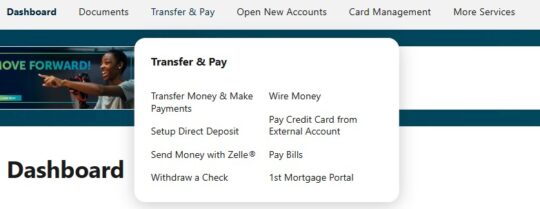
Navigate to “Transfer and Pay,” then click on “Setup Direct Deposit.”
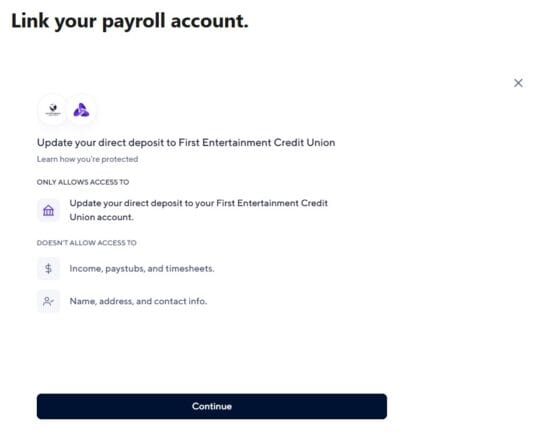
Click “Continue” to begin the setup process.
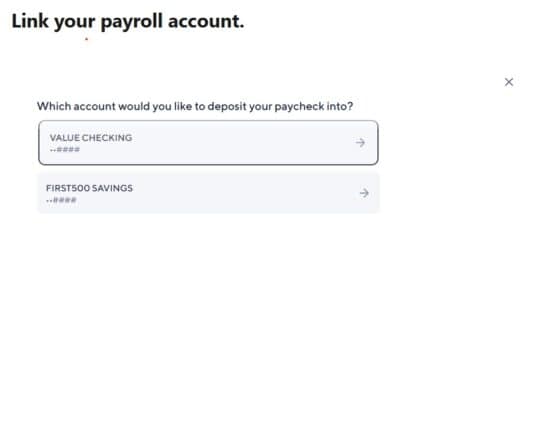
Pick Your Account. Choose the account where you want your paycheck to land.
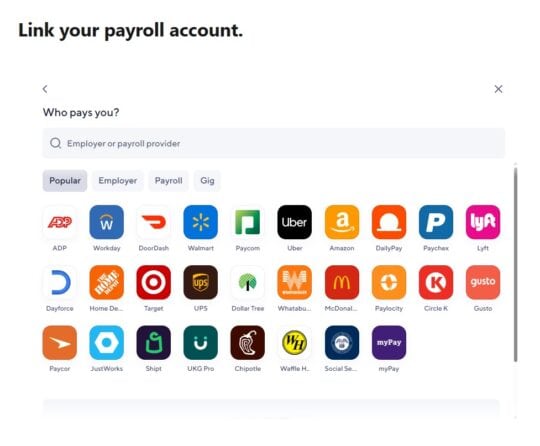
Search for Your Employer or Payroll Provider. Use the search bar to find your company or payroll service.
Follow the On-Screen Instructions. Each employer may have a slightly different process.
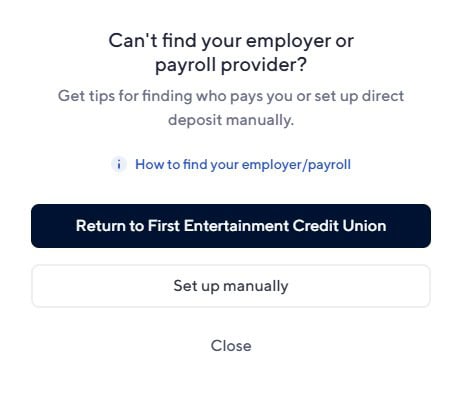
🤔 Can’t Find Your Employer? No worries! You can still set up Direct Deposit manually. When you see the list of employers, click the “X” in the top-right corner and select “Set up manually.”
 Follow the prompts to gather the info you’ll need to give your payroll team.